

5 Privacy Resolutions for 2026 That Actually Stick
Some suggested practical privacy habits for the new year
New year, new you, better privacy habits, right?
Maybe.
The problem with most resolutions is that they’re either too vague (”I’ll be more careful with my data”) or too ambitious (”I’m going to de-Google my entire life by February”). Either way, they tend to fizzle out by Valentine’s Day.
The resolutions that actually work are different. They’re small, concrete, and designed to become automatic. They don’t require you to overhaul your life. Instead, you shift a few defaults and build a handful of habits that compound over time.
Here are five privacy resolutions for 2026 that you might actually keep. Note that these are tailored more for the beginner side of our community. We’ll have a separate post for more advanced readers in a few days.
1. Use A Password Manager (and actually let it do its job)
If you’ve been meaning to set up a password manager, this is your year. Merely downloading one though doesn’t count. The objective is to commit letting it do the work.
That means letting it generate long, random passwords instead of your usual variations on the same theme. It means trusting it to remember credentials so you don’t have to.
The good news is you don’t need to migrate everything at once.
Start with your ten most important accounts: email, banking, social media, or anything with payment information. The rest will follow naturally as you log into sites throughout the year and let the password manager securely manage your credentials.
Once it’s set up, a password manager is actually easier than what you were doing before. The friction disappears, and you’re left with meaningfully better security for almost no ongoing effort.
Regular readers know we like Proton Pass. Bitwarden is another great option you can’t go wrong with.

2. Pause Before Granting Permissions
You don’t need to spend a weekend auditing every app on your phone. That’s the kind of project that sounds productive but never happens.
Instead, just adopt one small habit:
when any app asks for access to your camera, microphone, location, or contacts, take five seconds before tapping “Allow.”
Put differently, you’ll want to ask if an access request makes sense?
A navigation app needs your location. A photo editing app needs your camera roll. But a flashlight app doesn’t need your contacts, and a QR code scanner doesn’t need to know where you are.
This works because you’re not adding a task to your to-do list. Simply insert a brief pause into a decision you were already going to make. Over time, it becomes second nature to question permission requests that don’t add up.
Check out this recent post of ours to help you get started 👇

3. Unsubscribe As You Go
Here’s a resolution you’ve probably made before: clean out your inbox.
And here’s what probably happened: you never got around to it, or you spent an afternoon on it and then watched it fill back up within a month.
Try a different approach this year.
Don’t set aside dedicated time. We have a better, more effective idea. Every time you open a marketing email you don’t care about, hit unsubscribe right then. It takes about ten seconds.
Do this consistently, and by spring your inbox will be noticeably quieter.
This matters for privacy because every newsletter and promotional list is another company holding your email address, tracking your opens, and potentially sharing your information with partners. Fewer subscriptions means a smaller footprint.
Note: there is a risk that unwanted email is a phishing attempt, so tread carefully. This is why using disposable email addresses is so important. Once you use those, you can nuke an unwanted email recipient yourself by simply deleting the email address. Learn more here.
4. Do A “Delete Old Accounts” Sprint Once A Quarter
Old accounts are quiet risks.
Even if you haven’t logged in for years, your data is still sitting on some company’s server: your email address, maybe an old password, possibly payment information or personal details you’ve long forgotten about.
These dormant accounts are common sources of spam, credential stuffing attacks, and data breaches that affect you even though you stopped using the service ages ago.
Four times a year, set aside 20 to 30 minutes to hunt down accounts you no longer need. Check your password manager for sites you don’t recognize. Search your email for old “welcome” or “confirm your account” messages.
Quarterly is the right cadence because it’s frequent enough to make real progress and rare enough that it doesn’t feel like a burden. Put it on your calendar like any other recurring appointment.
Think of it as routine maintenance for your digital life.
5. Review One Privacy Setting Per Month
The comprehensive privacy audit is great in theory and hard to implement in practice. No one actually spends a full day going through every account, device, and service they use to lock down settings. And even if you did, you’d probably miss things or burn out halfway through.
Instead, spread it out. Assign each month a category. January is for your Google or Apple account. February is for social media. March is for smart home devices. April is for streaming services. And so on. Set a recurring calendar reminder, spend 15 minutes when it pops up, and move on with your life.
By the end of the year, you’ll have reviewed every privacy setting that actually matters, all without a single overwhelming afternoon. And because you’ve spread it across twelve months, you’ll actually remember what you changed and why.
The Theme: Sustainability Over Ambition
As we like to say, you don’t need to go off-grid to have meaningful privacy.
And you don’t need to delete all your accounts, abandon your smartphone, or start communicating exclusively through niche encrypted apps that nobody really uses. That’s not realistic, and resolutions built on fantasy don’t survive contact with real life.
What works is smaller:
better defaults, lightweight habits, and a little bit of friction in the right places. A password manager that does the hard work for you. A moment of hesitation before granting permissions. A quick unsubscribe instead of ignoring another email. A quarterly cleanup. A monthly check-in.
None of these will make you invisible online (that’s not the goal). But together, they’ll meaningfully reduce your exposure, shrink your digital footprint, and give you more control over your own information without requiring you to become a full-time privacy enthusiast (leave that job to us).
Pick one or two to start. You can always add more.
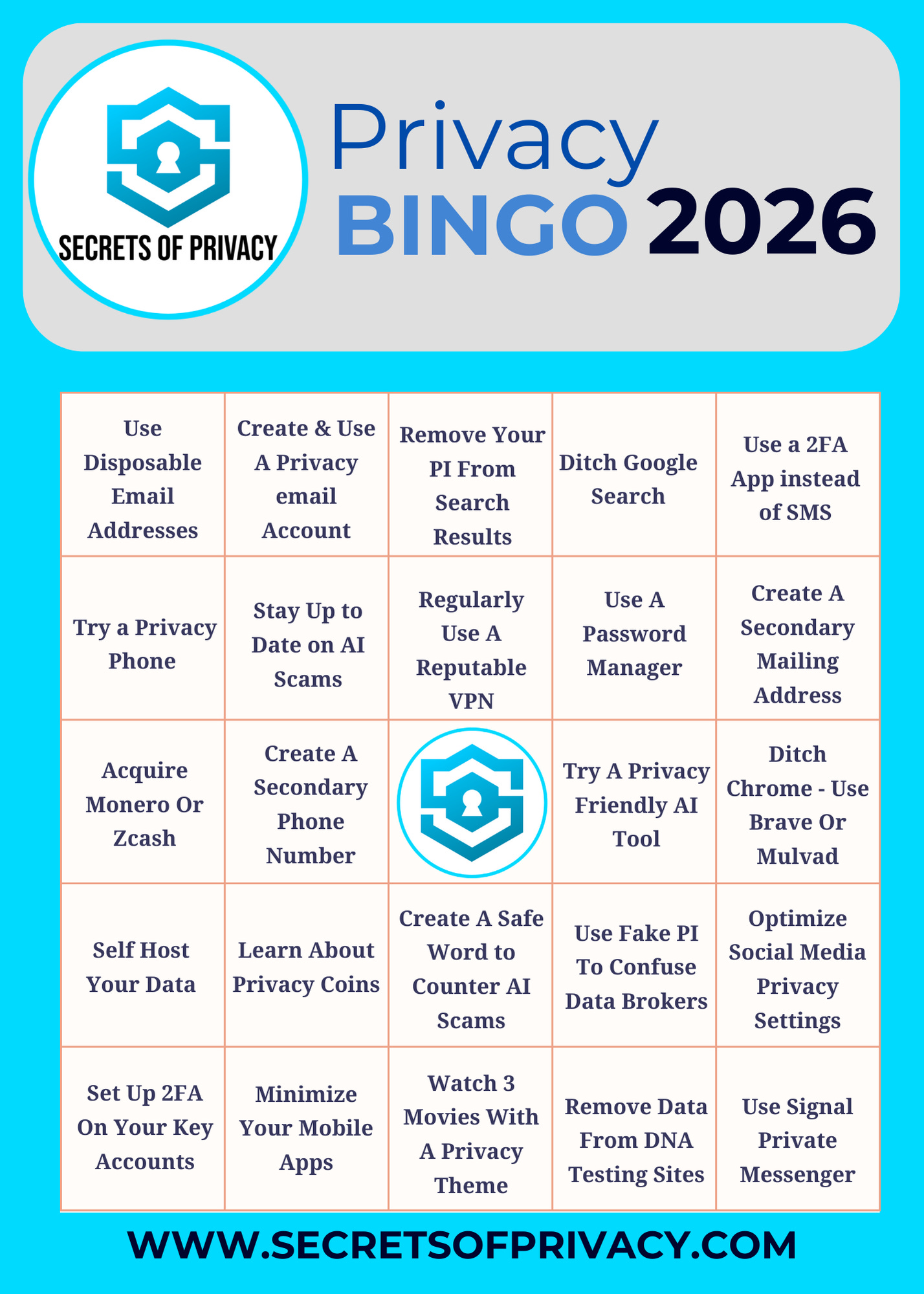
Prefer other options? Check out our 2026 Privacy Bingo Card for inspiration. 👇
Happy New Year, and good luck!
Friendly Ask
If you found this helpful or informative, chances are your friends and family will as well. Please share it with them to help spread awareness.
Looking for help with a privacy issue or privacy concern? Chances are we’ve covered it already or will soon. Follow us on X and LinkedIn for updates on this topic and other internet privacy related topics.
Disclaimer: None of the above is to be deemed legal advice of any kind. These are *opinions* written by a privacy and tech attorney with years of working for, with and against Big Tech and Big Data. And this post is for informational purposes only and is not intended for use in furtherance of any unlawful activity. This post may also contain affiliate links, which means that at no additional cost to you, we earn a commission if you click through and make a purchase.

Privacy freedom is more affordable than you think. We tackle the top Big Tech digital services and price out privacy friendly competitors here. The results may surprise you.
Do you own a Smart TV? If so, you won’t want to miss this post from our three part series on How To Make Your Smart TV Less Creepy.

If you’re reading this but haven’t yet signed up, join for free (3.8K+ subscribers strong) and get our newsletter delivered to your inbox by subscribing here 👇
“As we like to say, you don’t need to go off-grid to have meaningful privacy. “
💯 i see too many privacy advocates giving great but impractical advise.
you scored an excellent balance here.
What do I find that helps? Delete apps and don’t add new ones, get off of all social media platforms, stop sharing your life to the world, and either put your phone down or shut it off. When we get back to what was once normal these are things we don’t have to worry about anymore.