
How to Create a Secure Username (Without Exposing Your Identity)
5 rules for usernames that protect your privacy and keep hackers guessing

Quick answer: Use a unique, random username for each account. Avoid personal information like your name, birthday, or location. Store everything in a password manager so you don't have to remember it. Below, we break down exactly how to do this (including a checklist at the end). Try our free username generator here.
Most people use the same username everywhere. It’s usually their email address, or something like “mike.johnson87.” It’s convenient, but it creates two problems:
First, it makes credential stuffing attacks easier. When hackers steal login data from one site, they test those username-password combos on other sites. Same username = half the work done for them.
Second, it makes you easy to track. Use the same handle across Reddit, Instagram, a gaming forum, and LinkedIn, and anyone with free tools can connect the dots to your real identity in minutes. That’s how doxxing works.
The fix is simple: unique usernames for every account. Here’s how to do it right.
1. Never Use Personal Information
This is the most important rule. Your username should reveal nothing about who you are.
Avoid:
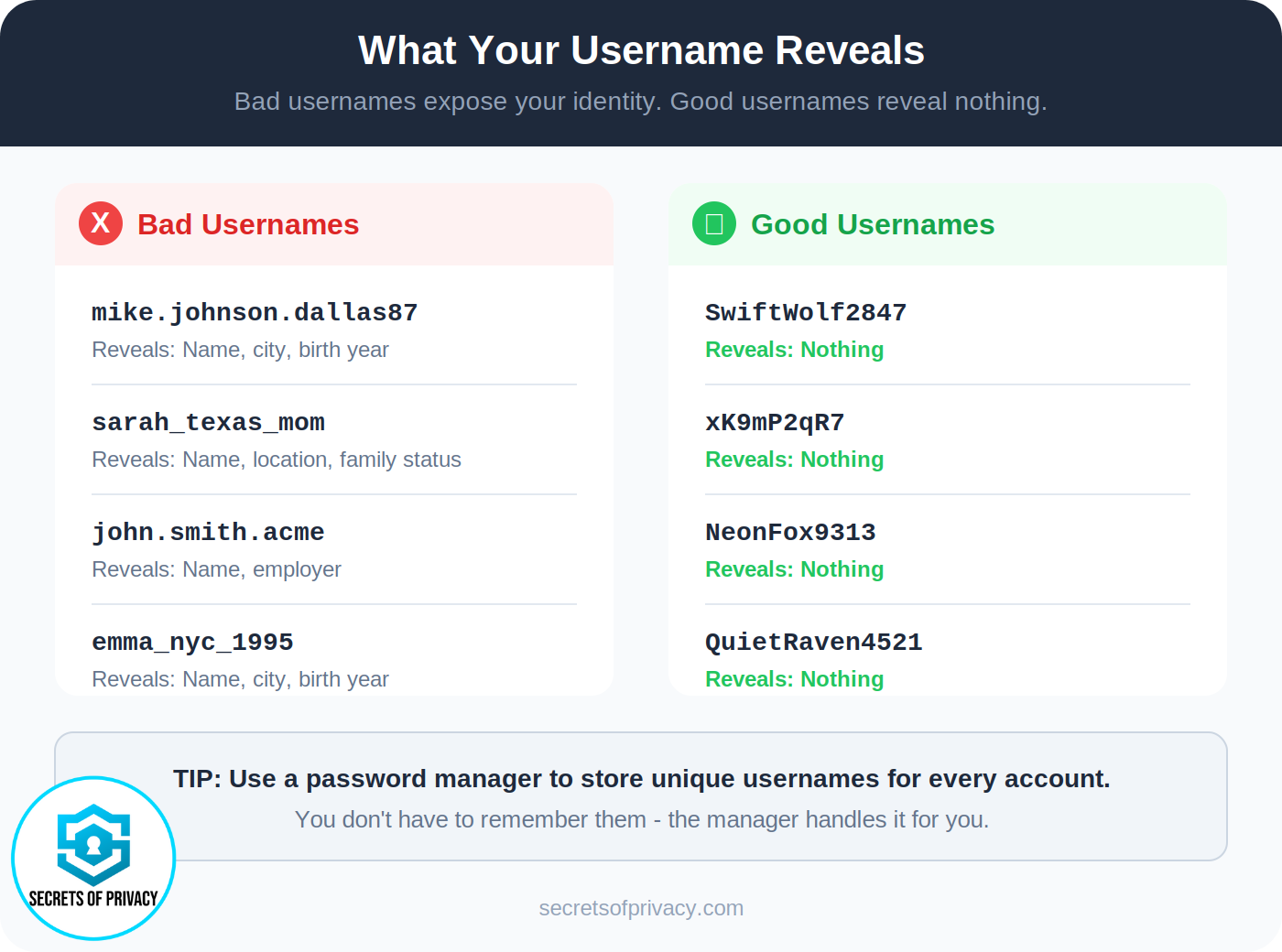
Your real name (even partial: “mike_j” or “mjohnson”)
Birth year or age (”sarah1987” or “john_35”)
Location (”texasmike” or “nycgirl”)
School, employer, or team names
Phone number or any part of your email
Why it matters: Personal details in usernames help attackers guess security questions, find your other accounts, or build a profile for social engineering attacks. A username like “mikejohnson_dallas87” tells a scammer your name, approximate age, and city, enough information to start a targeted phishing attempt.
The exception: A professional email address for work or business purposes (firstname.lastname@company.com) is fine when you need to be identifiable. Just don’t reuse that pattern for personal accounts.
2. Make Each Username Unique
Don’t reuse usernames across sites. Period.
When you use “CoolGamer99” on a gaming forum, a shopping site, and your bank, you’ve created a trail. If any one of those sites gets breached (or if someone just wants to find you) they can search that username and instantly see everywhere else you’ve used it.
Better approach: Generate a random username for each account. Your password manager will remember it, so you don’t have to.
If you need help creating random usernames, we built a free username generator tool that makes this easy. No sign-up, no tracking, just quick generation of privacy-focused usernames.
3. Use a Password Manager to Store Everything
Here’s the objection we always hear: “I can’t remember a different username for every site.”
You don’t have to. That’s what password managers are for.
A good password manager stores both your username and password for each account, auto-fills them when you log in, and encrypts everything so only you can access it. You remember one master password; the manager handles the rest.
Our setup: We use Proton Pass. The master PIN is memorized but also written on paper and stored in a firebox with other important documents. If something happens to us, family members can access our accounts. If our computer gets stolen, the thief gets nothing.
Other solid options: Bitwarden (open source, free tier available), 1Password, or KeePassXC (local storage, no cloud).
The key is picking one and actually using it. Once you do, unique usernames become effortless.
4. Handle Email-as-Username Requirements
Some sites force you to use your email address as your username. You can’t avoid it, but you can minimize the damage.
Solution: Use email aliases.
Instead of giving every site your real email, create unique aliases that forward to your main inbox. Each site gets a different alias. If one gets breached or sold to spammers, you know exactly which site leaked it, and you can disable that alias without affecting your other accounts.
Services that do this:
SimpleLogin (now part of Proton)
Proton Mail’s built-in aliases
If you want to go deeper on disposable email strategies, we wrote the most comprehensive guide around. You can get your copy here.

5. Don’t Worry About Making It Memorable
Old advice said to create a “unique but memorable” username. We disagree.
If your password manager is handling storage and auto-fill, memorability doesn’t matter. A username like “xK9mP2qR7” is fine. So is “SwiftWolf2847” if you prefer something readable.
What matters is that it’s unique to that account and contains no personal information. Let the password manager do the remembering.
What About Social Media and Public Accounts?
This guide focuses on private accounts (banks, email, shopping, healthcare) where you want to minimize your footprint.
Public-facing accounts (social media, professional profiles, creative portfolios) are different. There, you might intentionally want a consistent, recognizable identity. That’s a valid choice, but make it deliberately:
Keep public usernames separate from private ones
Don’t reuse your public handle for sensitive accounts
Consider what you’re comfortable having linked to your real identity
The goal isn’t to be invisible everywhere, it’s to control where you’re visible and where you’re not.
Frequently Asked Questions
What information should I avoid putting in a username?
Never include your real name, birth year, location, school, employer, phone number, or email address. These details make it easier for attackers to target you with phishing, guess your security questions, or connect your accounts across platforms.
Should I use the same username for every website?
No. Reusing usernames creates a trail that lets anyone (hackers, doxxers, or just curious people) connect your accounts and build a profile of your online activity. Use unique usernames, especially for sensitive accounts.
How do I remember different usernames for every account?
Use a password manager. It stores your username and password together, auto-fills them when you log in, and encrypts everything. You only need to remember your master password.
What if a website requires my email as the username?
Use an email alias. Services like SimpleLogin, Proton, and Firefox Relay let you create unique forwarding addresses for each site. Your real email stays hidden, and you can disable any alias that gets compromised.
Is it safe to use a username generator?
Yes, as long as the generator runs locally in your browser and doesn’t store or transmit what you create. Our free username generator works this way, all with no tracking, no sign-up, and no data stored.
What makes a good username for privacy?
A good privacy-focused username is: unique to that account, random or semi-random, contains no personal information, and isn’t connected to your other usernames. It doesn’t need to be memorable if you’re using a password manager.
Do unique usernames actually stop hackers?
They help. Credential stuffing attacks require matching both username and password. If you use a different username on each site, stolen credentials from one breach won’t unlock your other accounts. It’s not a silver bullet, but it’s a meaningful layer of defense.
What’s the difference between a username and a handle?
They’re often used interchangeably. “Username” typically refers to the identifier you use to log in (which may be private), while “handle” often refers to a public-facing name others see (like @username on Twitter). For privacy purposes, treat both with care, especially if they’re the same.
Bottom Line
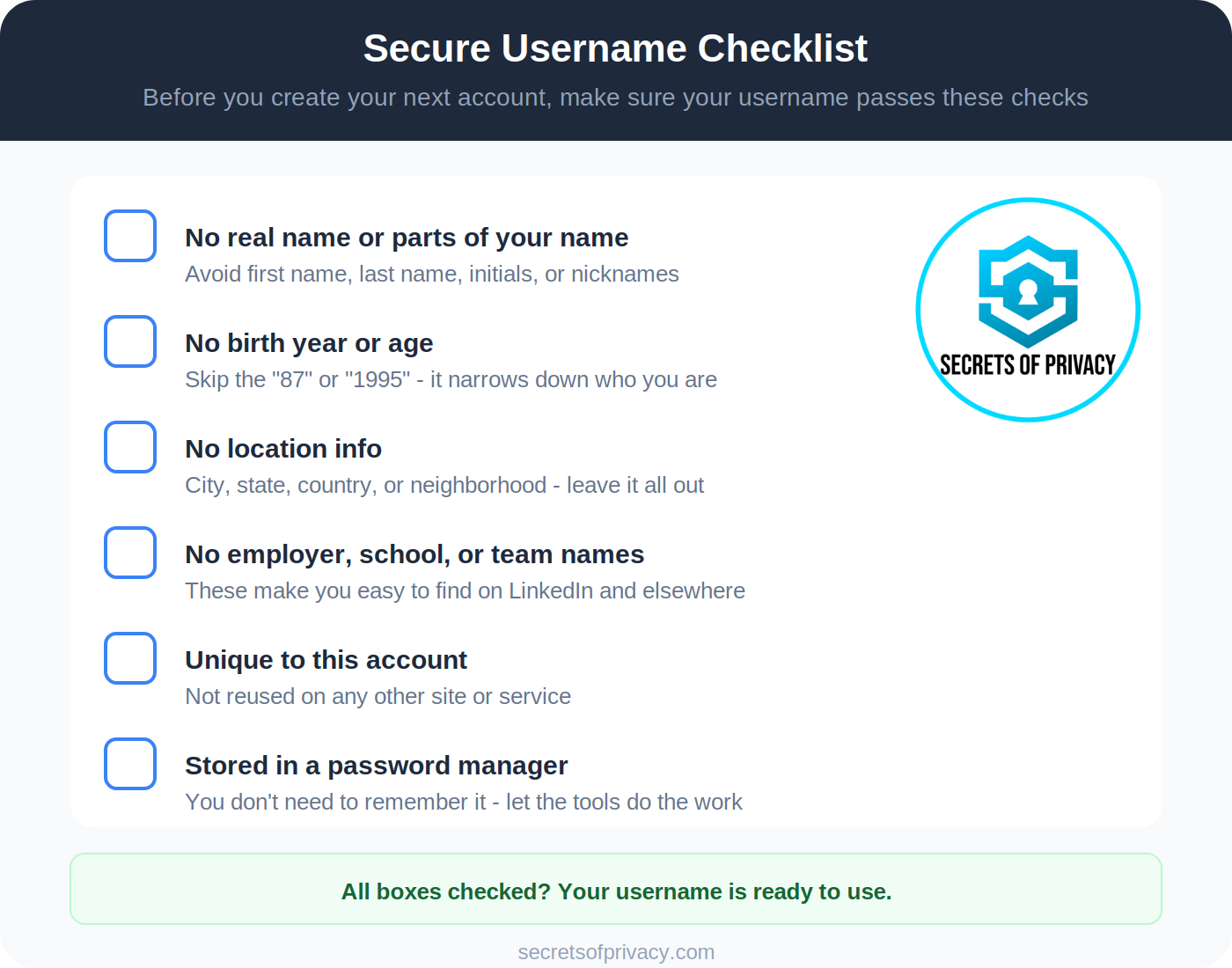
Creating secure usernames isn’t hard once you have the right system:
Use a password manager (this is non-negotiable)
Generate unique, random usernames for each account
Keep personal information out of usernames entirely
Use email aliases when sites require email-based login
Stop worrying about memorability and let the tools handle it
You don’t have to be perfect. You just have to be better than the average person who uses “firstname.lastname” everywhere. That small amount of friction is usually enough to send attackers looking for easier targets.
Need a username right now? Try our free username generator.
And if you want to go deeper, read our post on The Password Advice Everyone Misses for a full breakdown of why unique usernames matter and how they protect you from credential stuffing and doxxing.
Last updated: January 2026
Looking for help with a privacy issue or privacy concern? Chances are we’ve covered it already or will soon. Follow us on X and LinkedIn for updates on this topic and other internet privacy related topics.
Disclaimer: None of the above is to be deemed legal advice of any kind. These are *opinions* written by a privacy and tech attorney with years of working for, with and against Big Tech and Big Data. And this post is for informational purposes only and is not intended for use in furtherance of any unlawful activity. This post may also contain affiliate links, which means that at no additional cost to you, we earn a commission if you click through and make a purchase.
Privacy freedom is more affordable than you think. We tackle the top Big Tech digital services and price out privacy friendly competitors here. The results may surprise you.
If you have an iPhone, you’ll want to check out this post:

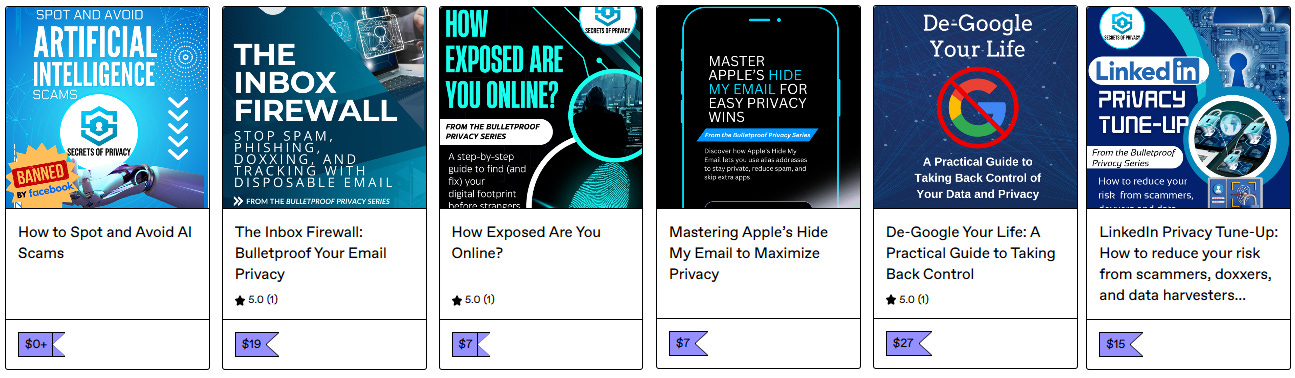
Check out our specialized privacy and security guides in our digital shop. Below is a sample of what’s available. People are really loving the De-Google your Life Guide (available here at 25% off). Browse all the guides here.
If you’re reading this but haven’t yet signed up, join for free (4,200+ subscribers strong) and get our newsletter delivered to your inbox by subscribing here 👇