

My Google Maps piece from the other week got a lot of responses. The most common one: what about Waze?
Waze is built around something Google Maps doesn’t do at all. Other Waze users can watch your car move across the map in real time, see your username, and read the traffic reports you send as you drive. The entire feature set depends on that kind of sharing, not just sharing with Google.
Google Maps mostly collects information about you and keeps it, or shares it with Google’s ad business. Waze does that too, since it’s owned by Google and runs on much of the same infrastructure. But Waze adds a second layer on top of that, a live social map where other people can see where you are while you’re driving.
So the privacy question for Waze is a little different. There’s what Google collects, which mirrors most of what I covered in the Google Maps piece. And there’s what other Waze users can see about you, which is a separate setting most people never touch because they don’t realize it’s separate.
What Waze Actually Collects
Three categories are in scope here, and they roughly mirror what I found in Google Maps.
The first is location and route history. Waze logs your GPS position, your speed, and your route, and saves it to a running record of every drive you’ve made on the app. This is the same kind of data Maps stores in Timeline, just under a different name and a different settings menu.
The second is search and destination data. Every address you’ve searched, your saved home and work locations, and your recent destinations are stored separately from your route history and have their own deletion controls.
The third is passive background location. Depending on your settings, Waze can check your location even when the app isn’t open, in order to send you reminders for planned drives, traffic alerts, and parking assistance. This is functionally identical to what Google Maps does in the background, and it’s controlled the same way, through your phone’s location permissions rather than anything inside the app.
Still a Google Product
Waze feels like a scrappy, community-run app, and in some ways it still is. But Waze has been owned by Google since 2013, and the privacy policy is direct about working with Google’s other companies for advertising, including sharing your device’s advertising identifier with those partners.
One detail worth knowing if you’ve avoided creating a Waze account because you assumed that kept you anonymous: it doesn’t. Waze’s own policy states that even without registering, your activity still gets linked to a unique identifier it generates for you, and that identifier follows you across the app the same way an account would. Skipping the account avoids the social features, not the data collection.
The Settings That Actually Matter
Listed roughly in order of impact. The first two are your highest privacy ROI.
1. Location Permission, Same Fix as Maps
Waze needs precise location to navigate, so don’t switch to approximate location. The setting that matters is when the app can access your location, not how precisely.
On Android, go to Settings > Location > App location permissions > Waze, and set it to “Allowed only while in use.”
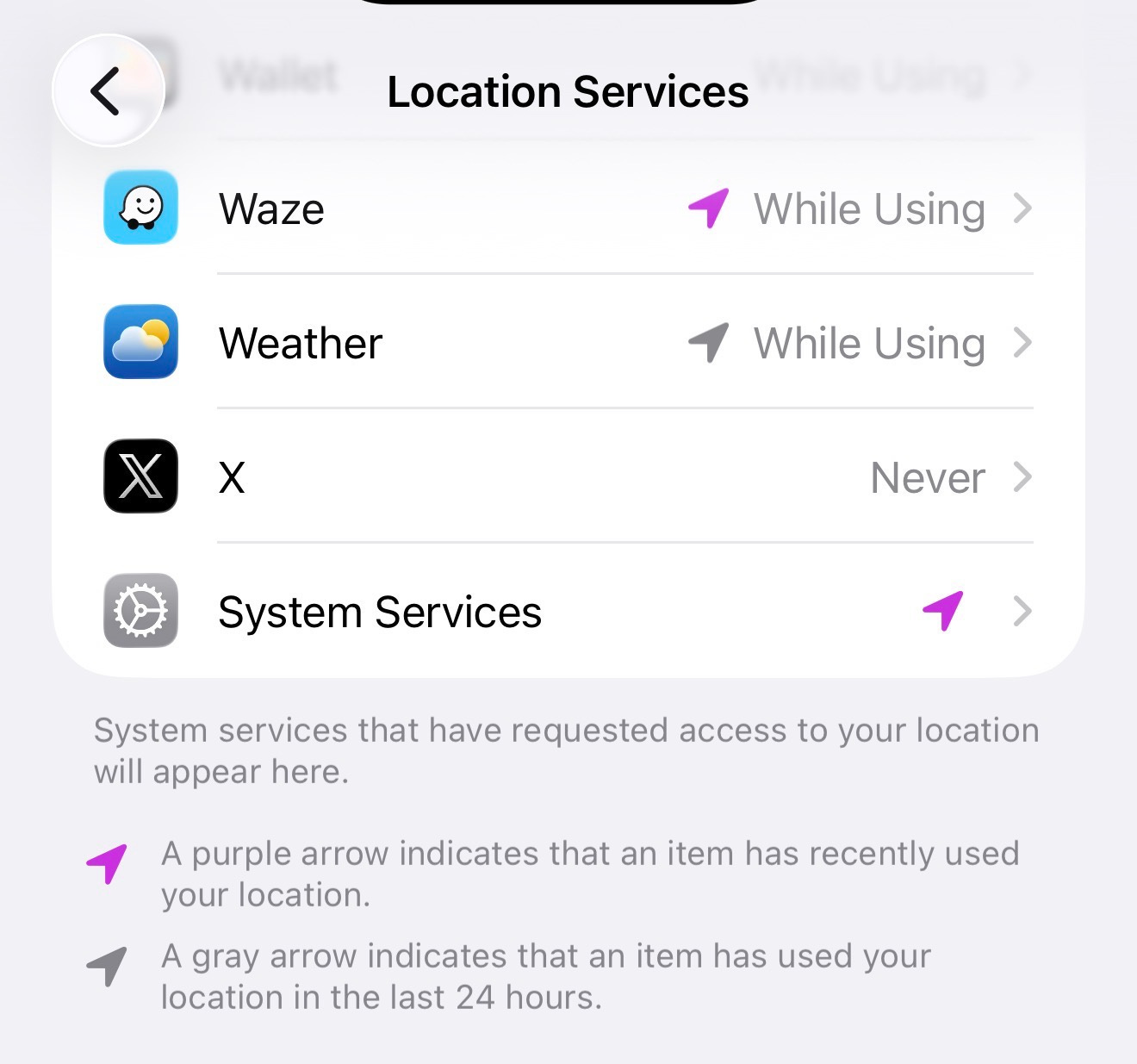
On iOS, go to Settings > Privacy & Security > Location Services > Waze, and set it to “While Using the App.”
2. Invisible Mode, What It Actually Hides
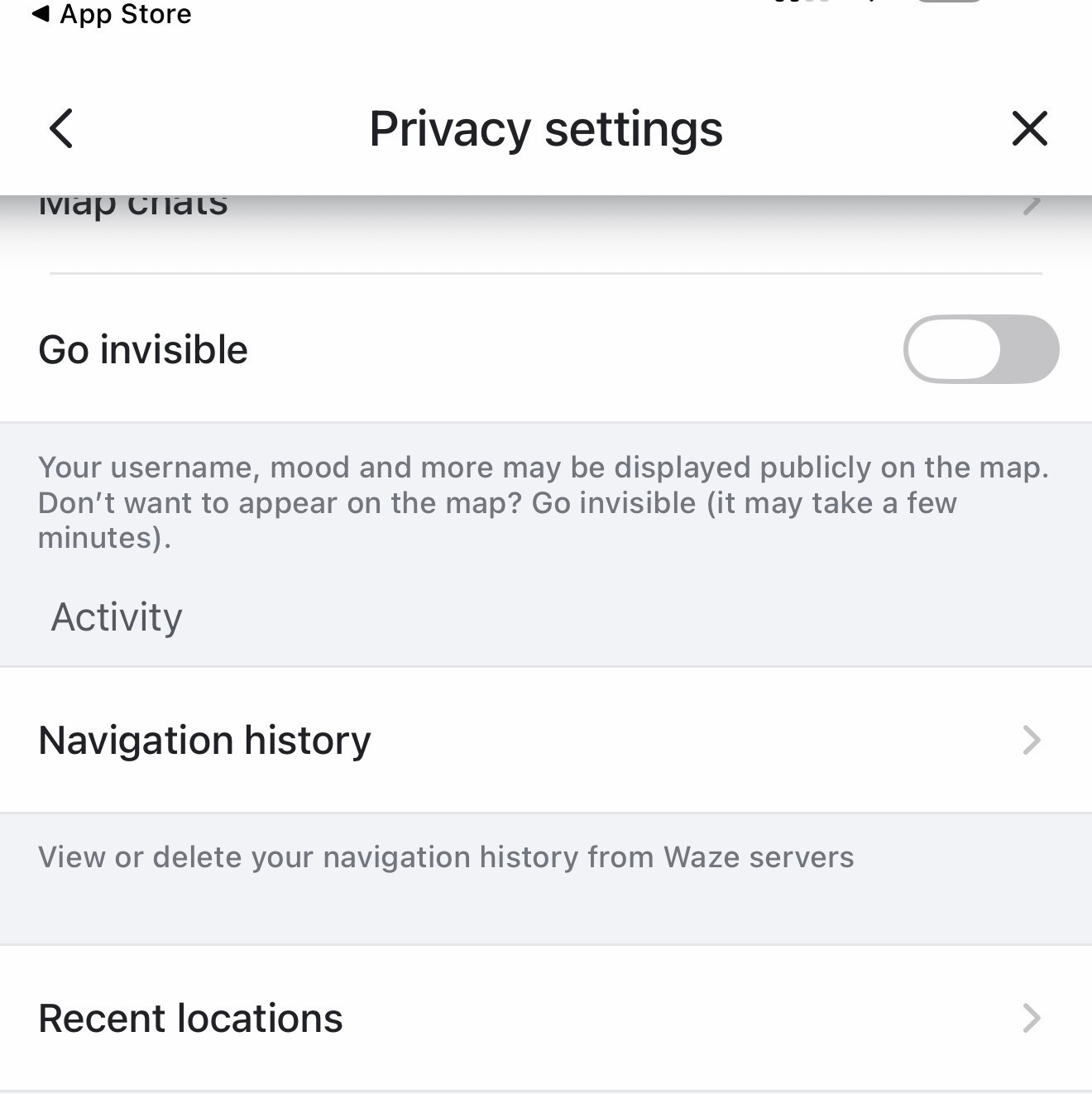
This is the one most people get wrong. Invisible Mode hides your username, your moving icon, and your activity from other Waze users on the map. It does not stop Waze itself from collecting your location and route data. The company’s own privacy policy is direct about this.
Even while you’re invisible to other users, Waze keeps collecting your location and route data for everything else outlined in the policy.
There’s a second cost to this setting that surprises people. Going invisible also turns off your ability to send traffic reports, message other users, or edit the map. So it’s a real tradeoff, not a free privacy upgrade. You’re trading the social features for social invisibility, not for less data collection.
To turn it on, open Waze, tap the menu icon, go to Settings, then Privacy, and switch on “Go invisible.”
3. Ad Personalization
In the same Privacy menu, you can turn off “Personalize your ads.” Like most ad personalization toggles, this doesn’t stop ads from showing. It stops Waze from using your account activity and saved information to choose which ones you see.
4. Navigation History and Recent Locations
Still in the Privacy menu, you’ll find separate controls for navigation history (every place you’ve navigated to or checked an ETA for) and recent locations (a shorter list tied to recent searches). You can delete individual entries or clear both lists entirely. They’re tracked separately from your account’s broader route history, so clearing one doesn’t clear the other.
5. Contacts Access For Find Friends
Waze has a feature that scans your phone’s contacts to suggest Waze users you might know. I couldn’t find a dedicated toggle for this in the current privacy settings menu, which is surprising. The more reliable control sits at your phone’s permission level rather than inside the app.
On Android, go to Settings > Apps > Waze > Permissions > Contacts, and turn it off unless you actually want to use the feature.
On iOS, go to Settings > Privacy & Security > Contacts > Waze, and turn it off.
This matters beyond your own data. If you grant Waze contacts access, the people in your phone book who don’t use Waze and never agreed to anything are part of what gets uploaded.

Takeaway
After all of this, Waze still knows where you are while you’re navigating, because that’s what the app does. You’ve cut the background collection, removed yourself from the social map if you want to be removed, and made sure your contacts aren’t getting swept up by a feature you forgot existed. That’s legit progress.
What you haven’t done, and can’t really do with a settings change, is use Waze without Google knowing your location in real time. That’s true of Google Maps too, but Waze’s whole feature set depends on a level of location sharing that Maps doesn’t require. The traffic data, the live reports, and the community map all need you to be visible to the system, even when you’ve made yourself invisible to other users.
If you want an app that does what Waze does without running through Google, you’re mostly out of luck right now. The crowdsourced traffic and incident reporting that makes Waze unique doesn’t really exist anywhere else with the same reliability and features. That’s a different situation than Google Maps, where Organic Maps and OsmAnd are alternatives for plain navigation, if imperfect. Waze’s actual product, the live community layer, doesn’t have a privacy-respecting equivalent yet.
If you've now worked through both the Maps and Waze settings and you're starting to notice how many of these adjustments lead back to the same Google account, that's the right observation. The bestselling De-Google Your Life guide will help you break free of Google. It’s free for annual paid subscribers. Everyone else can get a deal here.
Looking for help with a privacy issue or privacy concern? Chances are we’ve covered it already or will soon. Follow us on X and LinkedIn for updates on this topic and other internet privacy related topics.
Disclaimer: None of the above is to be deemed legal advice of any kind. These are *opinions* written by a privacy and tech attorney with years of working for, with and against Big Tech and Big Data. And this post is for informational purposes only and is not intended for use in furtherance of any unlawful activity. This post may also contain affiliate links, which means that at no additional cost to you, we earn a commission if you click through and make a purchase.
Know your doxxing risk. DoxxScore gives you a personalized exposure assessment and action plan in under 5 minutes. Get Your Risk Score →
Check out our new, free username generator to help you create unique usernames for different accounts. Reusing usernames is convenient, but terrible for your privacy. This tool makes it easy to create unique usernames on the fly.
It’s a bitch getting old. For years I followed the flow with apps for everything, but J slowly came to realize that nothing is free. Why would someone develop an app and then give it out for free? Slowly I began deleting apps and I found that my life didn’t change a bit. Weather forecasts don’t need to know my location. I get around just like I have for the over 60 years that I have been driving. Before I go somewhere new, I look at a map, create a mental image and then drive until I need to reference a map again. I am rarely distracted, I’m not crawling down the road blocking traffic while I wait for last minute instructions. I will take advantage of traffic websites in order to avoid delays but those sites don’t know where I am or where I’m going.
When the power goes out, I’ll be just fine.
Great post, the nav app space is quite limited for options but for a good maps alternative that is very private, try CoMaps.